SHARED MEMORY
같은 맥락을 반복해서 설명하지 않아도 됩니다. 승인된 맥락을 여러 agent가 공유합니다.


WHY LUTHN
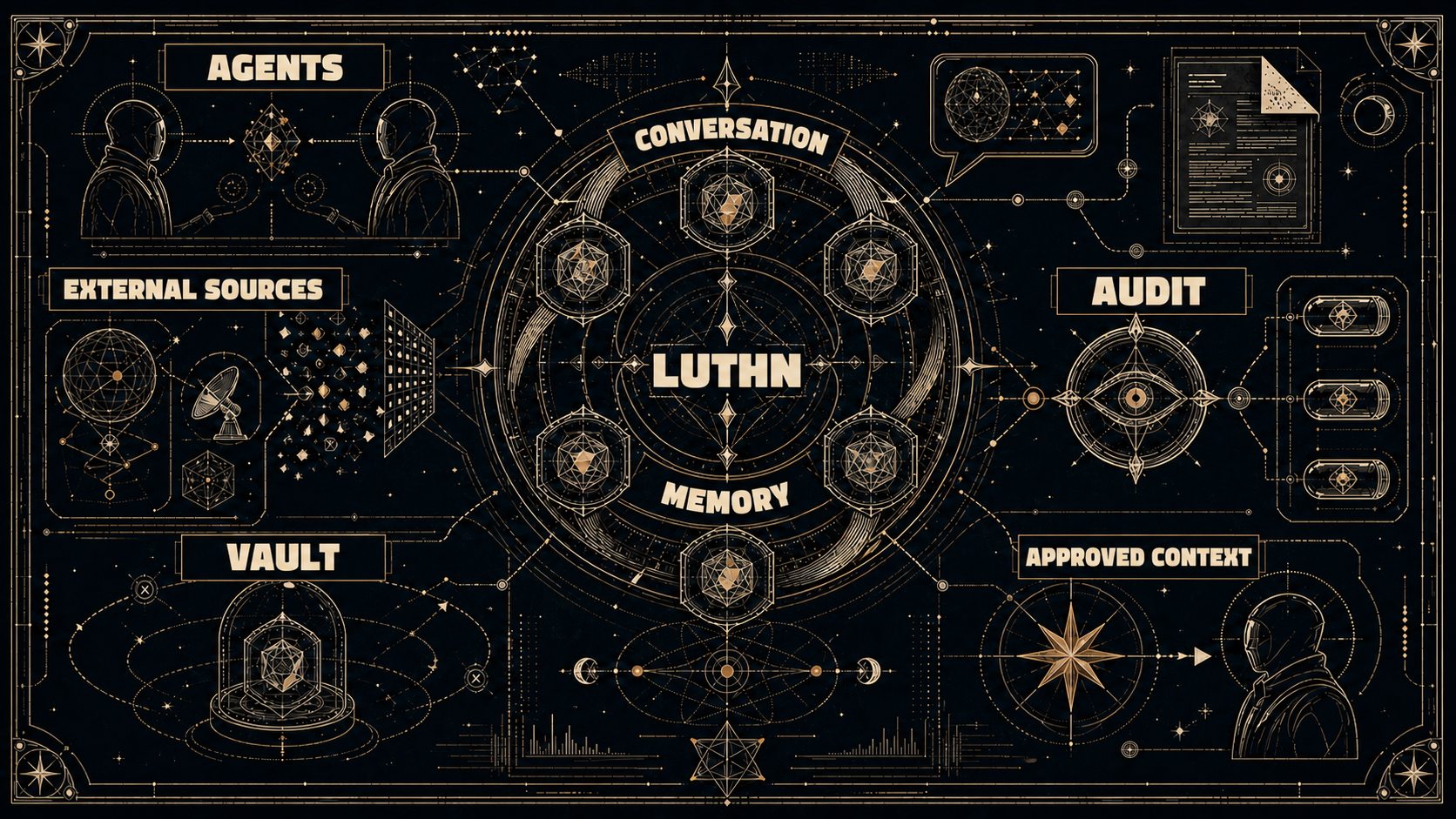
Luthn은 승인된 맥락만 여러 agent에 공유하고, 감사와 암호화 vault로 민감한 데이터는 분리합니다.
같은 맥락을 반복해서 설명하지 않아도 됩니다. 승인된 맥락을 여러 agent가 공유합니다.
정보가 여러 도구에 흩어져도 됩니다. 메신저·문서·메일의 필요한 맥락을 안전하게 모읍니다.
공유 전에 판단합니다. 어떤 메모리가 shared memory로 넘어갈지 감사하고 결정합니다.
민감한 데이터는 agent memory가 되지 않습니다. 별도로 암호화해 보관합니다.
[HOW TO]
설치. 확인. 연결.
설치
curl -fsSL https://raw.githubusercontent.com/JakobSung/Luthn/main/scripts/install.sh | bash -s -- --channel stablemacOS / Linux · Docker 필요
확인
luthn statushttp://127.0.0.1:8080에서 console을 엽니다.
연결
luthn connect codex
luthn connection status codex

luthn connect claude
luthn connection status claude
Luthn이 준비된 다음 실행합니다. Agent 연결은 별도 단계입니다.
$installer = Join-Path ([IO.Path]::GetTempPath()) "luthn-install.ps1"
irm https://raw.githubusercontent.com/JakobSung/Luthn/main/scripts/install.ps1 -OutFile $installer
pwsh -NoProfile -File $installer -Channel stable
Remove-Item -LiteralPath $installer
PowerShell 7.4 이상과 Linux container mode의 Docker Desktop이 필요합니다.